Most small-business websites are brochures. They look fine, they say the right things, and they do nothing. A visitor reads a page, maybe finds a phone number, and leaves. The site never tells you they came.
The gap isn't design. It's that a brochure has no idea anything happened.
Here's what OwnSites builds instead — and, just as importantly, what it builds without you configuring anything.
Rich by default, not template-by-default
You describe your business in a sentence. From that, generation produces a palette, a type scale, section structure, and copy written about your business rather than a placeholder's.
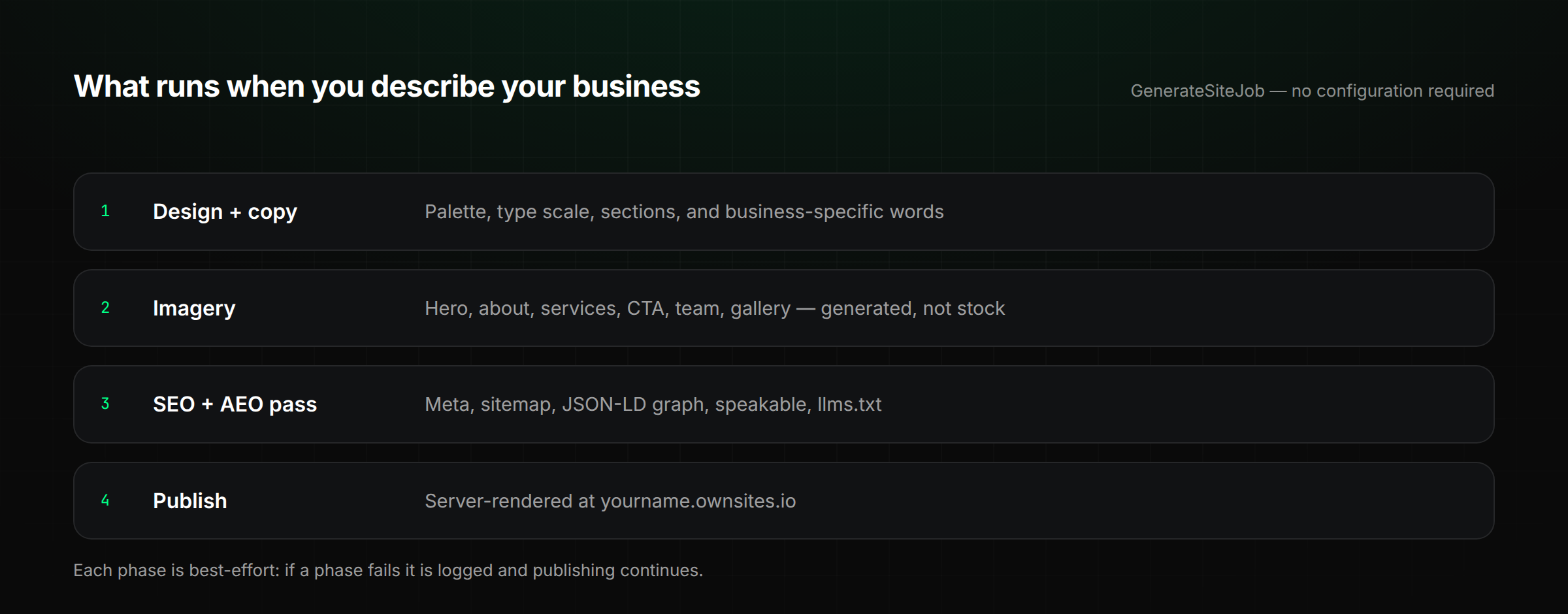
Imagery is generated too — hero, about, services, CTA, team, and gallery — rather than pulled from the same stock library everyone else uses. That runs automatically at generation, using the platform's own image keys, so there's nothing for you to sign up for. If image generation is unavailable, the site falls back to stock rather than shipping with holes in it.
SEO you don't have to remember to do
SEO on most builders is a checklist you're handed. Here it's a phase that runs before your site goes live: meta titles and descriptions, sitemap.xml, robots.txt, image alt text, heading structure, and a JSON-LD graph.
The optimizer is deliberately conservative. It does the structural work deterministically and only calls a model for the parts that need words — and it is explicitly instructed never to invent your address, your prices, or your credentials. An SEO tool that fabricates your phone number isn't helping you.
AEO: writing for the thing that answers, not just the thing that lists
Search increasingly ends in an answer rather than ten links. That changes what a page needs to expose.
Every published page carries a JSON-LD @graph — WebSite, WebPage with speakable, BreadcrumbList, and an organization type that matches what you actually are (a dental practice serializes as Dentist, a medical practice as MedicalBusiness, everything else as LocalBusiness). Where FAQs exist on the pages that warrant them, they serialize as FAQPage.
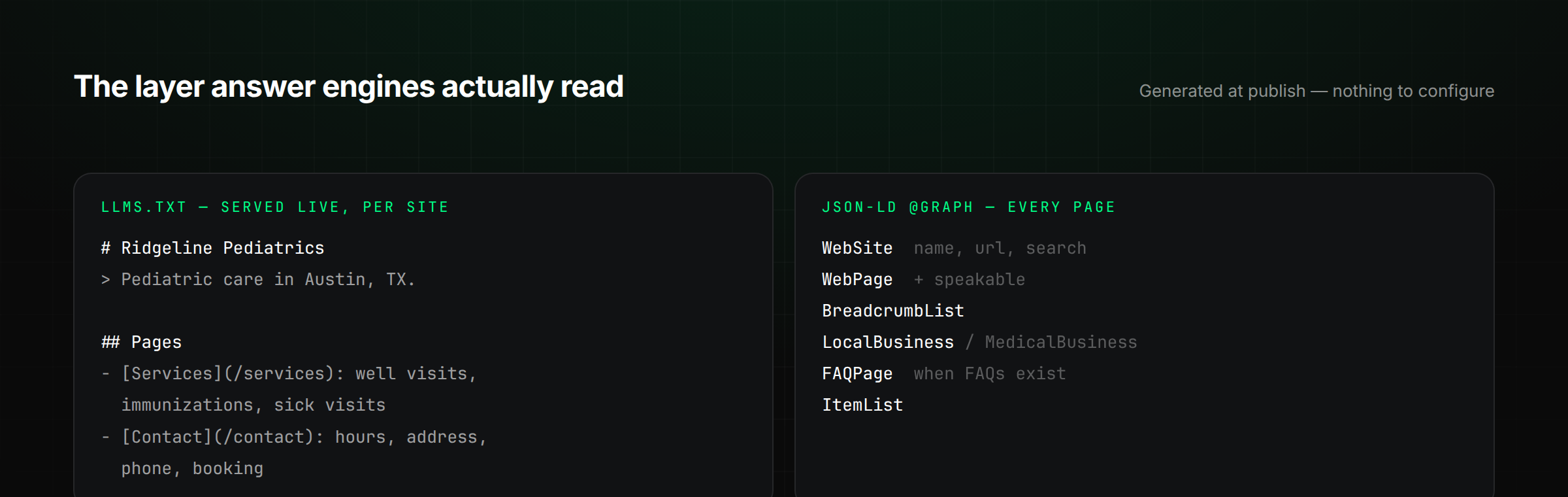
Each site also serves its own llms.txt — a plain-language map of what the business is and what each page covers, written for models rather than crawlers. It's live on every published site right now, not a roadmap item.
A caveat worth being straight about: nobody can promise you a ranking inside ChatGPT or Perplexity, and any vendor who does is selling you something they can't deliver. What you can do is make sure that when an answer engine reads your business, it finds clean, structured, accurate ground truth instead of guessing. That's what this layer is.
It behaves like software because it is software
This is the part people expect least. Your published site isn't a folder of static files sitting on a CDN — it's server-rendered live on every request. That's why the dynamic parts genuinely work:
- Forms that save submissions and notify you
- Booking with real availability, not a "request an appointment" mailto
- Blog with the same design system as the rest of the site
- Store and checkout when you sell something
- Analytics that record real page views
No plugins, no integrations, no second subscription.
The part that matters: it tells you
A lead is only worth something if you find out in time. When someone submits a form, books an appointment, or pays for an order, the record is saved and you're notified — by email and in-app immediately.
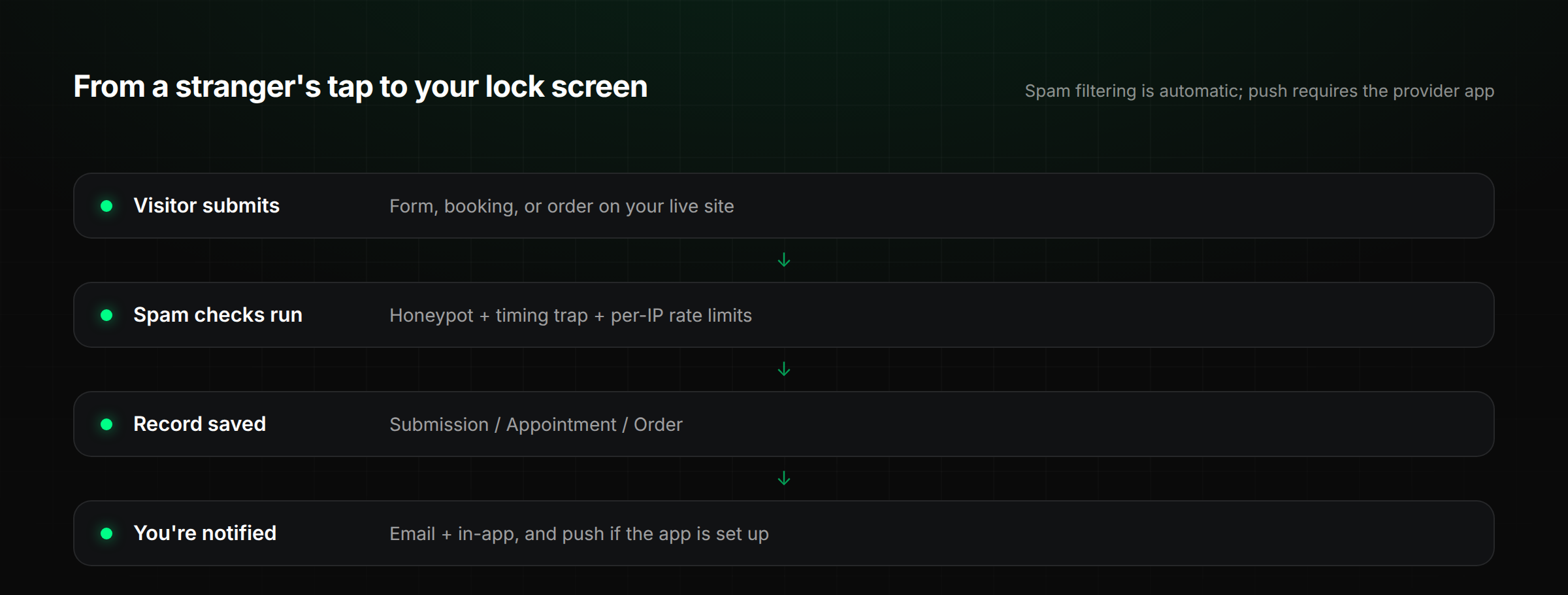
Push to your phone goes further: the provider app is a real native shell around your dashboard, and it can put a form submission or a new booking on your lock screen. Being honest about this one — push isn't magic and it isn't zero-setup. It needs the app installed and push credentials configured. It's available, not automatic.
And you don't have to think about spam
Every public entry point — forms, bookings, testimonials, store, payments — runs through spam filtering before anything is saved. Honeypot fields that only a bot fills in. A timing trap, because humans don't complete forms in under two seconds. Per-IP rate limits in production, tuned per endpoint.
All of that is on the moment your site is live. No keys, no dashboard, no configuration. CAPTCHA is available on top if you want it, but the default posture already assumes the internet is hostile — because it is.
What's automatic, and what isn't
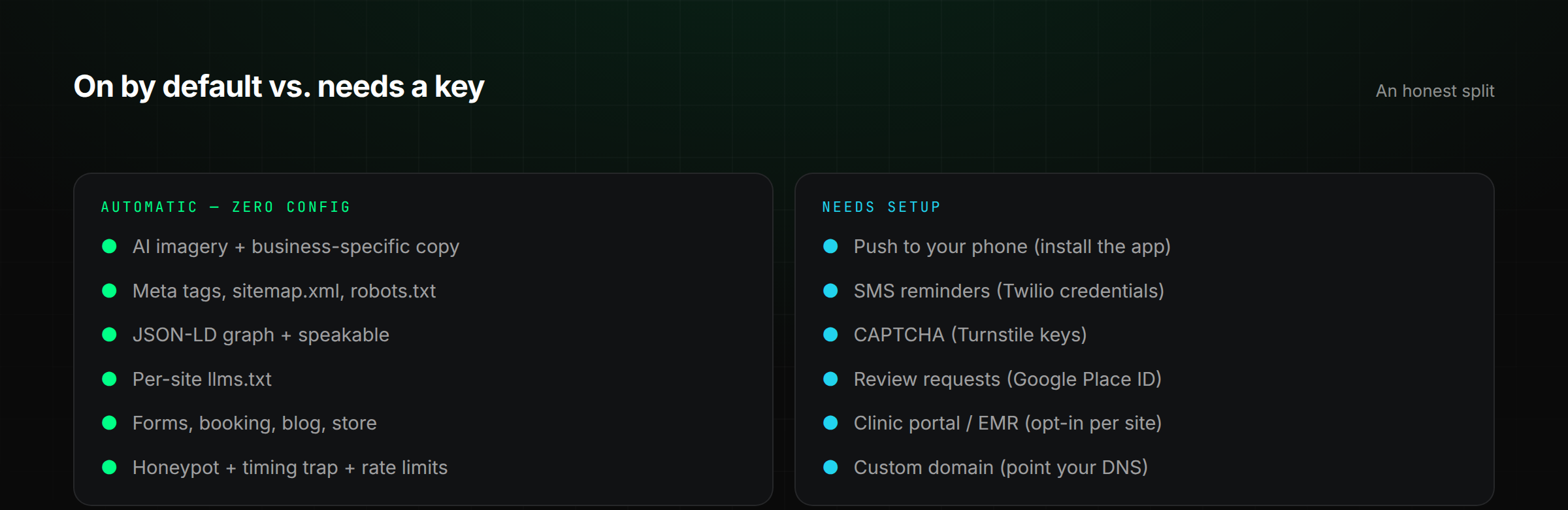
That second column matters. Most of what makes a site good is on by default. The things that need setup need it for real reasons — Twilio needs an account, push needs certificates, review requests need to know which Google listing is yours.
The point
A brochure site is a cost. A site that gets found by search and by answer engines, takes bookings against real availability, filters its own spam, and tells you the moment someone's interested — that's a piece of your business that works while you're doing something else.